What's Changed
The sign-in app now has two separate journeys based on why someone is visiting. Before signing in, every visitor answers a short set of questions to determine the right pathway.
| Worker | Visitor | |
|---|---|---|
| Who? | Volunteers, incursion providers, anyone booked by CT to work with children | Tradies, delivery drivers, inspectors, anyone NOT working with children |
| Background colour | Purple | Teal / green |
| Home address | Required | Not required |
| Step 2 | Work Details (role, organisation) | Visit Details (reason for visit) |
| Blue Card | Required | Required |
Step 1 — Triage Questions
When a visitor taps the screen, they see two simple questions. Staff do not need to answer these — the visitor answers them on the kiosk.
Question 1
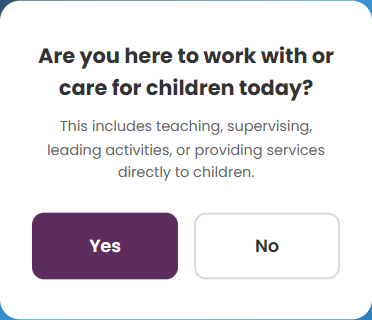
- Yes — goes to Question 2
- No — goes straight to the Visitor sign-in
Question 2 (only if they answered Yes)
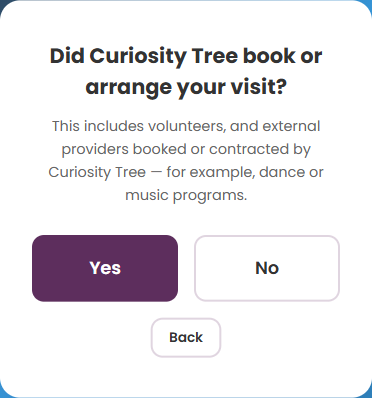
- Yes — goes to the Worker sign-in
- No — goes to the Visitor sign-in
Step 2 — Kiosk Screen
After the triage questions, the visitor sees the sign-in kiosk. The background colour tells you which journey they're on.
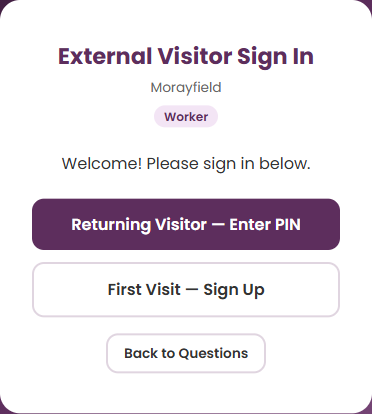
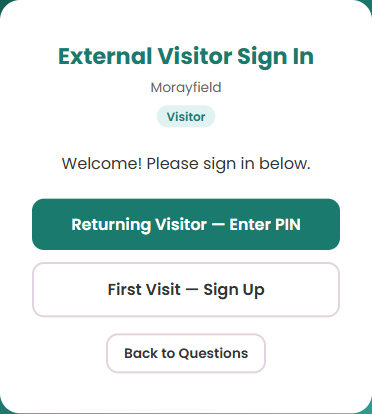
- Returning Visitor — Enter PIN — for visitors who have been before (uses last 4 digits of their mobile)
- First Visit — Sign Up — for new visitors (full form)
- Back to Questions — if they chose the wrong journey, tap this to start over
Step 3 — Sign-In Form
The form has 3 steps. What appears on each step depends on the journey.
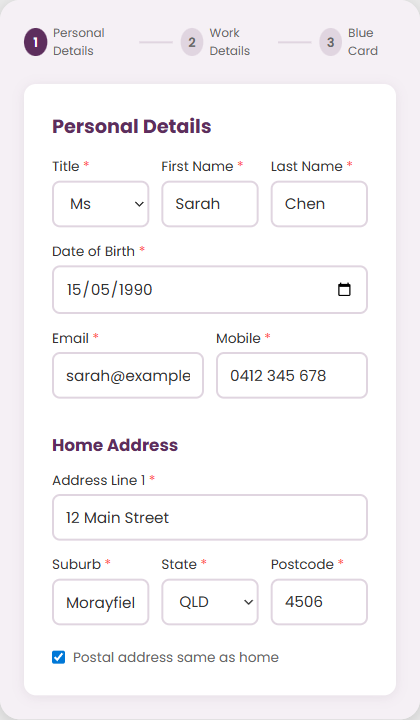
Worker Journey Worker
Step 1 — Personal Details (with home address):
Step 2 — Work Details:
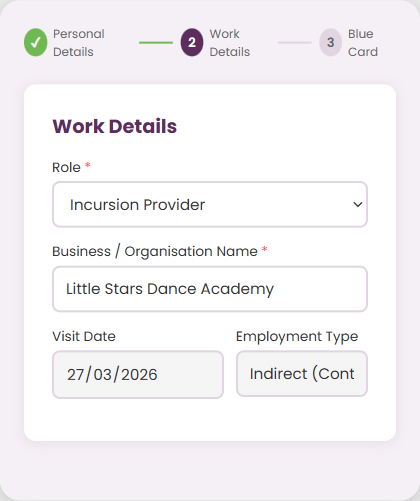
Role options: Volunteer, Incursion Provider, or Other (free text).
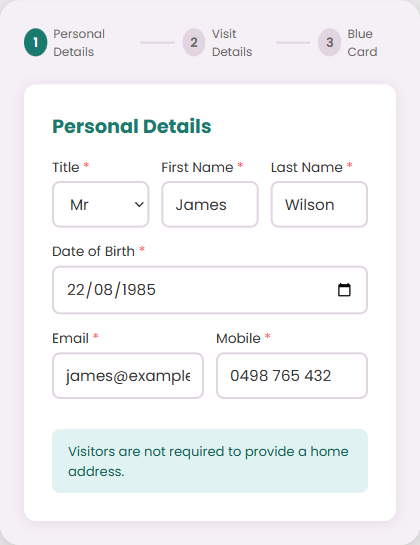
Visitor Journey Visitor
Step 1 — Personal Details (no address needed):
Step 2 — Visit Details:
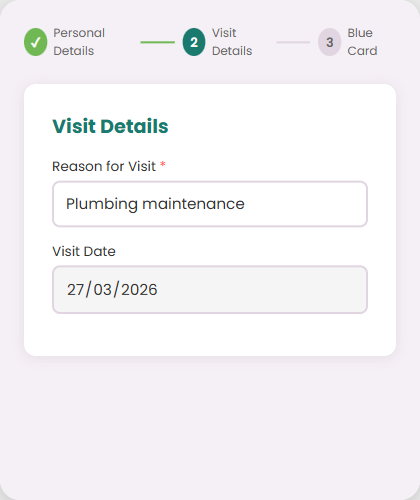
The visitor types their reason for visiting (e.g. "Plumbing maintenance", "Delivery", "Meeting").
Step 4 — Blue Card Verification
This step is the same for both journeys. All visitors must have their Blue Card verified.
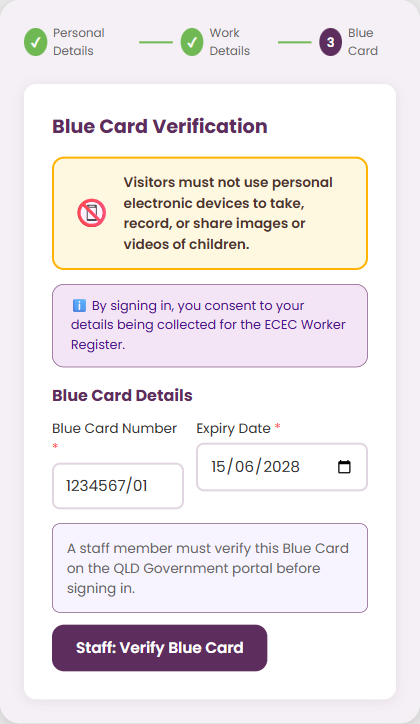
- The visitor enters their Blue Card number and expiry date
- They tap "Staff: Verify Blue Card"
- A staff member enters their staff PIN
- The QLD Government portal opens in a new tab — staff checks the card details match
- Staff taps "Confirmed Valid — Sign In" to complete the sign-in
Step 5 — Done
After sign-in, first-time visitors see their PIN for next time.
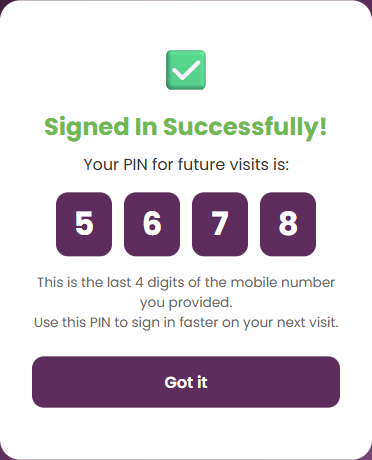
The PIN is the last 4 digits of their mobile number. On their next visit, they can use this to skip straight to Blue Card verification.
Returning Visitors
When a returning visitor enters their PIN, the system automatically detects whether they were previously a Worker or Visitor and routes them to the correct journey. They skip straight to the Blue Card verification step — their personal details are already on file.
Quick Reference
| Scenario | Journey |
|---|---|
| Dance teacher booked by CT | Worker |
| Volunteer reading to children | Worker |
| Music program provider | Worker |
| Plumber fixing a tap | Visitor |
| Electrician | Visitor |
| Delivery driver | Visitor |
| Council inspector | Visitor |
| IT technician | Visitor |